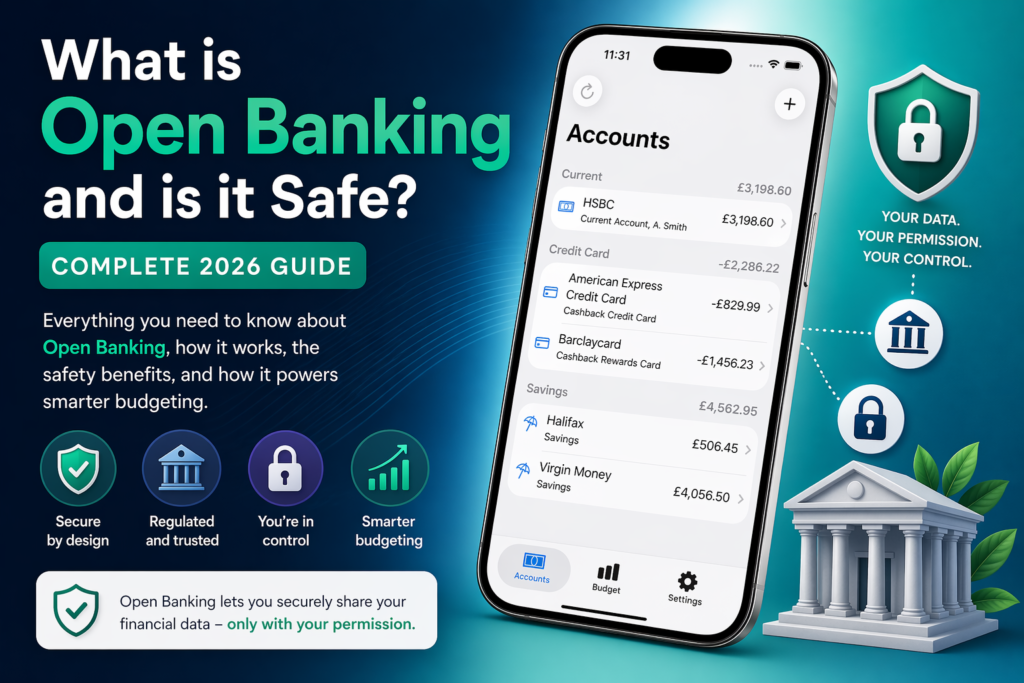
If you’ve ever downloaded a budgeting app on your iPhone and been asked to “connect your bank,” you’ve already encountered Open Banking—whether you realised it or not.
- But what exactly is Open Banking?
- Is it safe to share your financial data with apps?
- And why are so many modern budgeting tools built around it?
This guide breaks it all down clearly, without fluff – so you can decide whether it’s something you should be using.
What is Open Banking?
Open Banking is a system that allows your bank to securely share your financial data with trusted third-party apps and services – only with your explicit permission.
It was introduced in the UK following regulations like PSD2 and is overseen by regulators such as the Financial Conduct Authority.
Instead of manually entering transactions or exporting spreadsheets, Open Banking lets apps:
- Access your account balances
- Categorise your spending automatically
- Track subscriptions and bills
- Provide real-time budgeting insights
All without ever needing your bank password.
How Open Banking Actually Works
At a high level, the process looks like this:
- You choose to connect your bank inside an app
- You’re redirected to your bank (e.g. HSBC or Barclays)
- You log in directly with your bank (not the app)
- You approve what data can be shared
- The app receives secure, limited access via an encrypted API
This means:
- Your login details are never shared with the app
- Access can be revoked at any time
- Permissions are tightly controlled
Why Open Banking Exists
Before Open Banking, managing money digitally was fragmented and manual:
- Multiple bank apps
- No unified view of finances
- Manual expense tracking
Open Banking solves this by enabling:
- All accounts in one place
- Real-time financial insights
- Smarter budgeting tools
This is why nearly every modern iPhone budgeting app now relies on it.
Is Open Banking Safe?
Short answer: Yes – when used properly, it’s very safe.
But let’s go deeper.
1. Regulated and Licensed Providers
Only companies authorised by regulators like the Financial Conduct Authority can access Open Banking data.
They must meet strict requirements around:
- Data security
- Encryption
- User consent
- Operational resilience
If an app isn’t authorised, it cannot legally connect to your bank via Open Banking.
2. You Stay in Control
You explicitly approve:
- Which accounts are shared
- What data is accessed
- How long access lasts
Most connections expire after 90 days unless renewed.
You can revoke access anytime via:
- Your banking app
- Or the third-party app
3. No Password Sharing
This is one of the biggest safety improvements.
Unlike older “screen scraping” methods:
- You never give your password to the budgeting app
- Authentication happens directly with your bank
- Connections use secure tokens instead
4. Bank-Level Security
Open Banking uses the same security infrastructure as your bank:
- Strong Customer Authentication (SCA)
- Multi-factor authentication
- Encrypted APIs
This means your data is protected to the same standard as online banking itself.
Common Concerns (And the Reality)
“Can apps move my money?”
No – most budgeting apps have read-only access.
They can:
- View transactions
- Analyse spending
They cannot:
- Transfer funds
- Make payments
“What if the app gets hacked?”
Even in worst-case scenarios:
- Attackers wouldn’t get your bank login details
- Access tokens are limited and expire
- Regulated providers must report and mitigate breaches quickly
“Is Open Banking safer than manually tracking?”
In most cases, yes.
Manual tracking often leads to:
- Inaccurate data
- Missed subscriptions
- Poor financial visibility
Open Banking gives:
- Real-time accuracy
- Automated categorisation
- Better financial decisions
Benefits of Open Banking for Budgeting Apps
This is where things get interesting – especially if you’re considering an iPhone budgeting app.
1. Automatic Expense Tracking
No spreadsheets. No manual input.
Every transaction is pulled in and categorised automatically.
2. Real-Time Budgeting
You can instantly see:
- How much you’ve spent today
- How close you are to budget limits
- Where you might save money
3. Smarter Insights
Modern apps can detect:
- Subscription creep
- Spending habits
- Savings opportunities
4. Multi-Account View
See all your finances in one place:
- Current accounts
- Credit cards
- Savings
Even across different banks.
Are There Any Downsides?
Open Banking isn’t perfect. A few limitations:
- Connections sometimes need reauthorisation (good from a security point of view)
- Not all banks support every feature
- Some categorisation can be imperfect
But these are minor compared to the benefits.
Who Should Use Open Banking?
You’ll benefit most if you:
- Want better control of your spending
- Use multiple bank accounts
- Struggle to track subscriptions or bills
- Prefer automation over manual tracking
If that sounds like you, Open Banking isn’t just useful – it’s a game changer.
How to Use Open Banking Safely
Stick to these simple rules:
- Only use apps authorised by the Financial Conduct Authority
- Review permissions before approving access
- Revoke access you no longer use
- Keep your banking app secure (biometrics, passcode)
The Future of Open Banking
Open Banking is already evolving into Open Finance, which could include:
- Investments
- Pensions
- Insurance
This will give users a complete financial picture – not just banking.
Final Thoughts
Open Banking has fundamentally changed how people manage money.
It replaces:
- Manual effort
- Fragmented data
- Guesswork
With:
- Automation
- Accuracy
- Real-time insights
And when used with a well-designed iPhone budgeting app, it becomes one of the most powerful tools for improving your financial habits.
Looking for a Smarter Way to Budget?
If you’re exploring ways to take advantage of Open Banking, the next step is simple:
👉 Use a budgeting app that leverages it properly such as Accounts.
The best apps combine:
- Clean, simple design
- Accurate categorisation
- Real-time insights
- Secure Open Banking integration
That’s where the real value lies – not just in understanding your money, but actually improving how you use it.