Accounts

Budget App for iPhone with Open Banking

Also works on iPad

Take control of your money with Accounts, a powerful budget app for iPhone and iPad that connects directly to your bank accounts using secure open banking.

Track your spending automatically, plan smarter budgets, and stay in control of your finances – all in one simple app.

Available for download soon!

All Your Finances in One Place

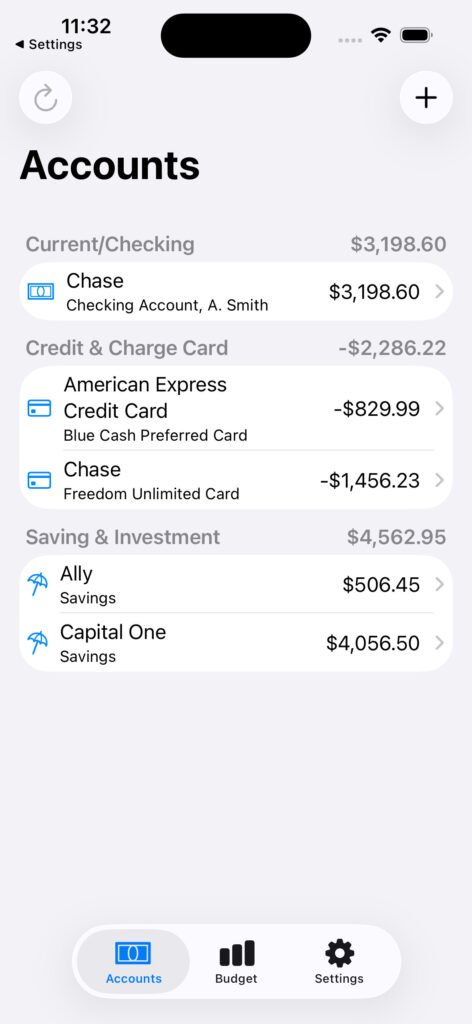
Combine all your accounts under one umbrella. See all your current accounts, credit cards and savings in one app. No more switching between apps. Accounts supports over 50 banks, with the majority of UK banks covered.

simulator screenshot iphone 15 pro ios26.1 2026 04 11 at 11.31.42

UK Open Banking

Accounts uses secure open banking technology to connect to your bank accounts safely. Download transactions securely from your bank. No need to enter transactions manually. Learn more about open banking here.

simulator screenshot iphone 15 pro ios26.1 2026 04 11 at 11.39.07

Transaction Details

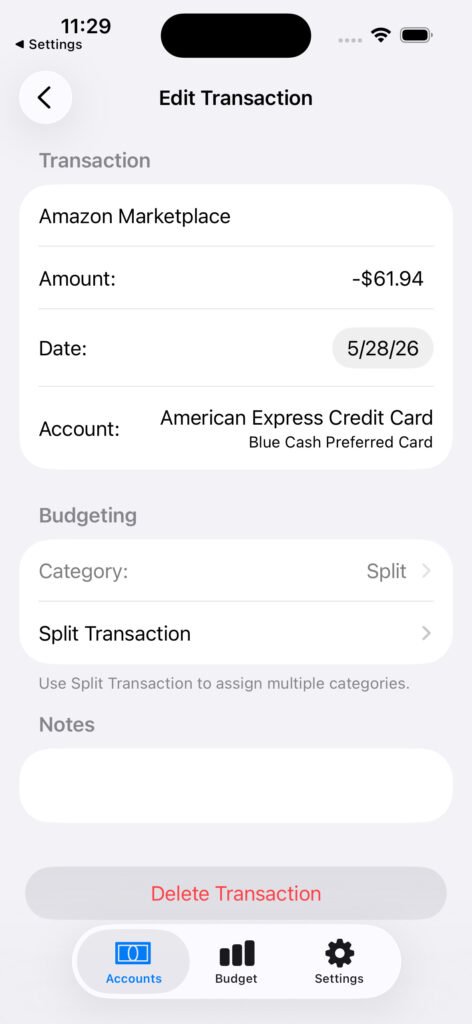
View individual transaction details. Edit transaction name, budget category or add notes.

simulator screenshot iphone 15 pro ios26.1 2026 04 11 at 11.40.01

Add Notes

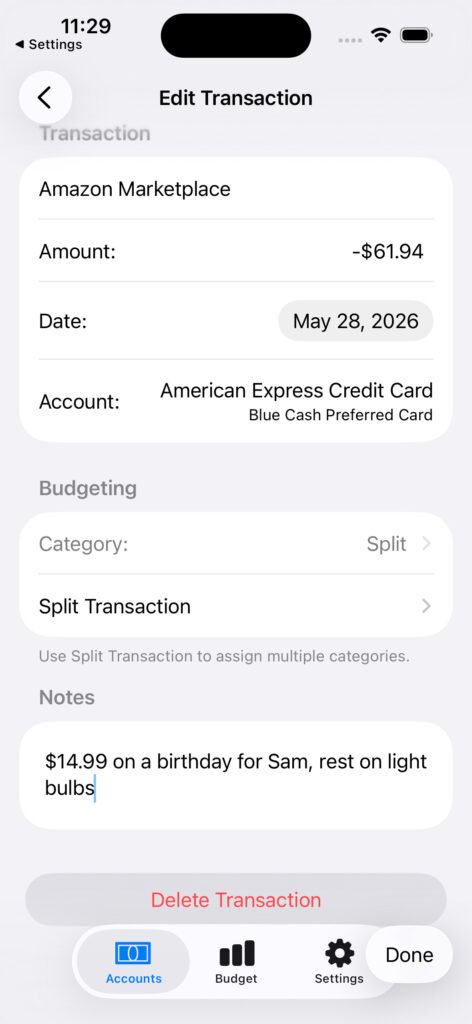
Add your own notes to a transaction.

simulator screenshot iphone 15 pro ios26.1 2026 04 11 at 11.40.36

Track Your Spending Automatically

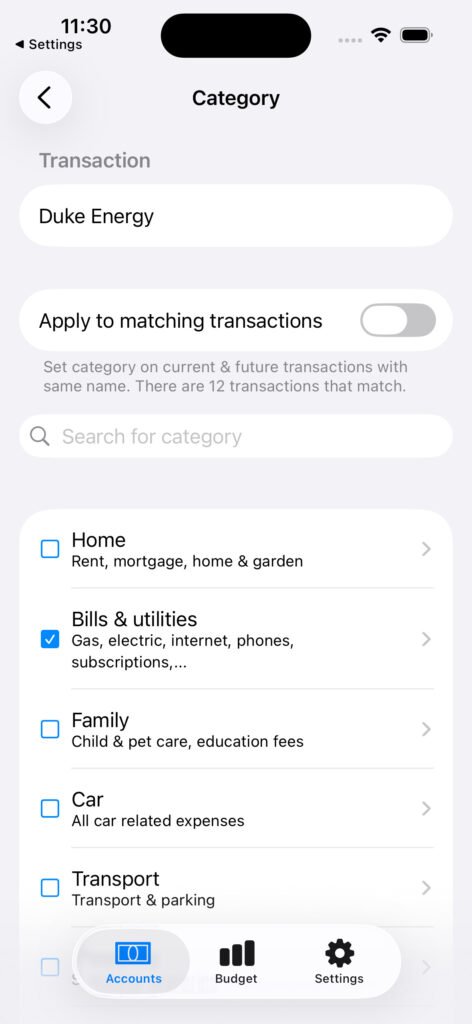
Accounts will automatically assign a budget category to each transaction. You can override this and assign a budget category yourself. Use the builtin categories or add your own custom categories.

simulator screenshot iphone 15 pro ios26.1 2026 04 11 at 11.41.13

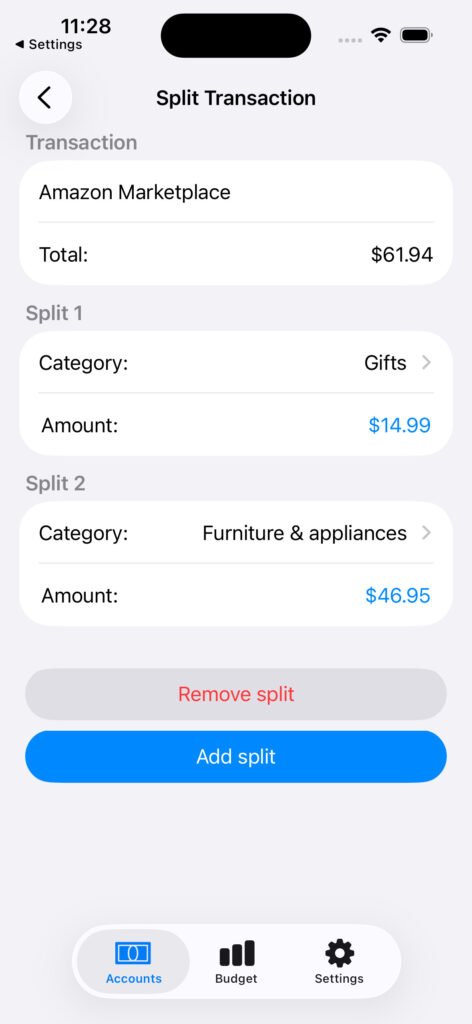
Support for Split Transactions

Assign multiple budget categories to a single transaction, e.g. part of an Amazon order could be a birthday present and part something else.

simulator screenshot iphone 15 pro ios26.1 2026 04 11 at 11.36.14

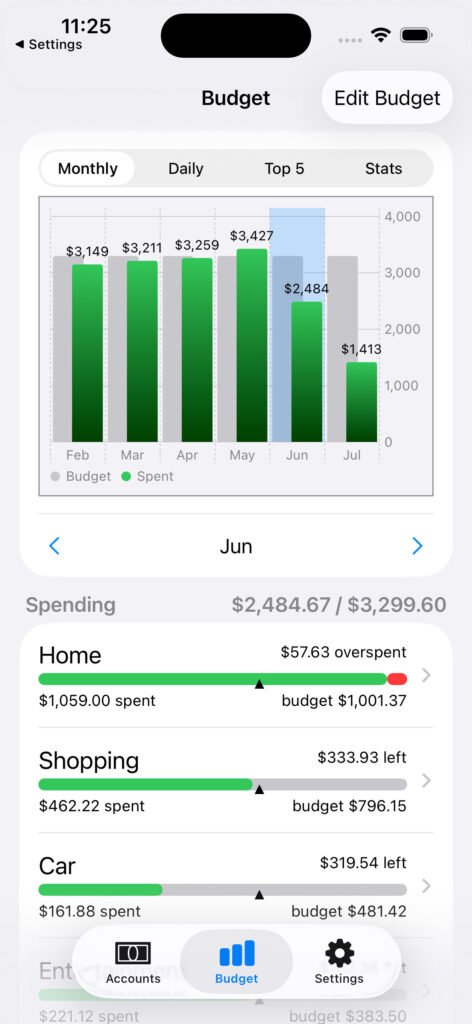
Budget

Track spending against your budget. Accounts automatically assigns transactions to a budget category, which you can override manually if required.

Accounts includes nearly 100 budget categories built in, or create your own categories as needed.

simulator screenshot iphone 15 pro ios26.1 2026 04 11 at 11.33.36

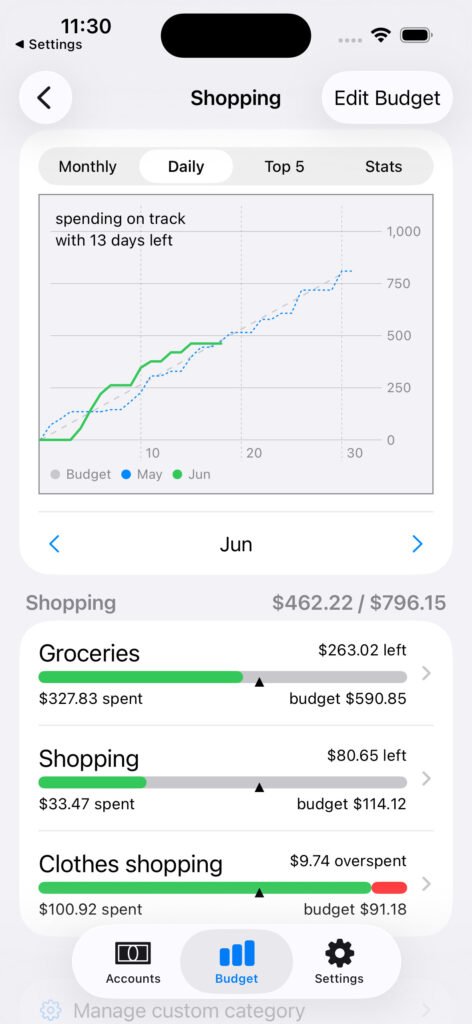
Detailed Budgeting

Drill down into budget spending, e.g. want to know if you are overspending in coffee shops rather than entertainment in general?

Budget categories supports two levels, e.g. “Shopping” as a top level category which contains “Groceries”, “Clothes shopping” and general “Shopping” as sub categories.

simulator screenshot iphone 15 pro ios26.1 2026 04 11 at 11.33.57

Track Your Spending

Track this months spending against your monthly budget and last months spending. See where you are spending more than budgeted, e.g. coffee shops.

simulator screenshot iphone 15 pro ios26.1 2026 04 11 at 11.42.49

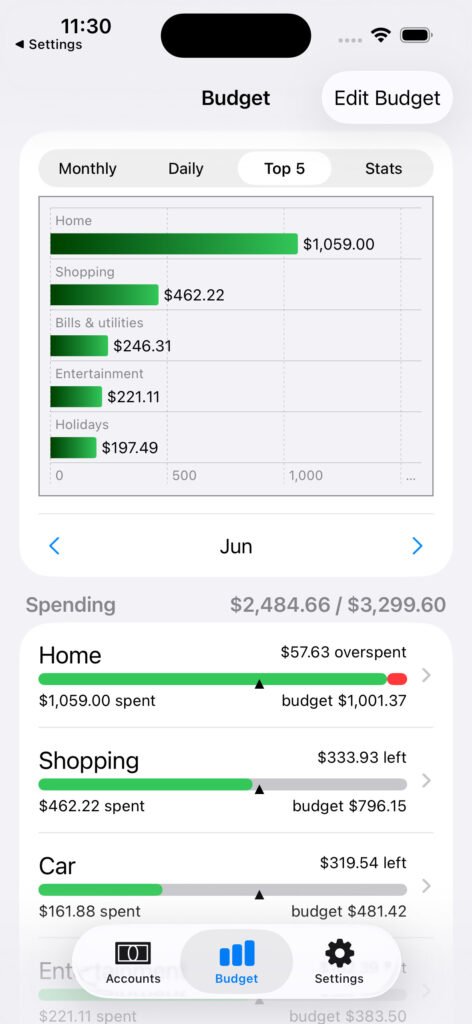
View Top Spending

See top spending category in any one month to see where you are spending the most.

simulator screenshot iphone 15 pro ios26.1 2026 04 11 at 11.43.08

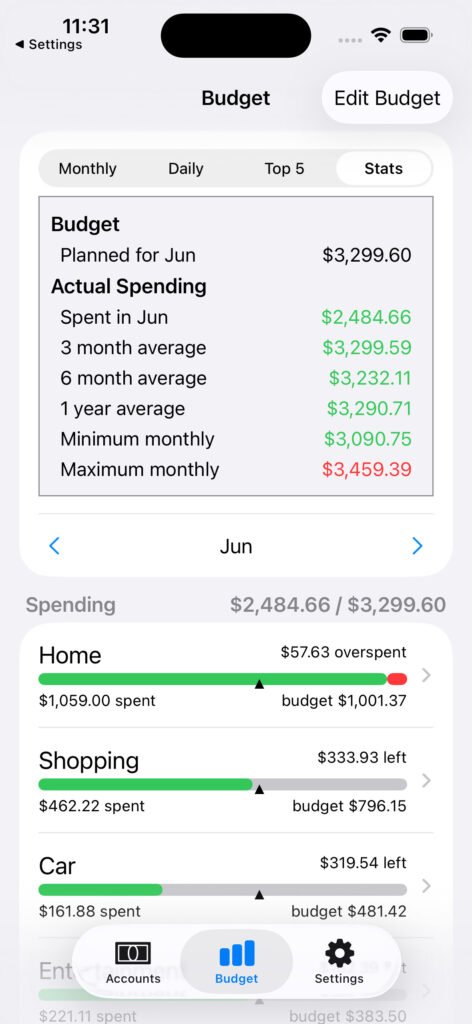
View Spending Stats

View spending statistics, including how actual spend compares to budget, averages over the past few months, minimum and maximum for the year.

simulator screenshot iphone 15 pro ios26.1 2026 04 11 at 11.43.31

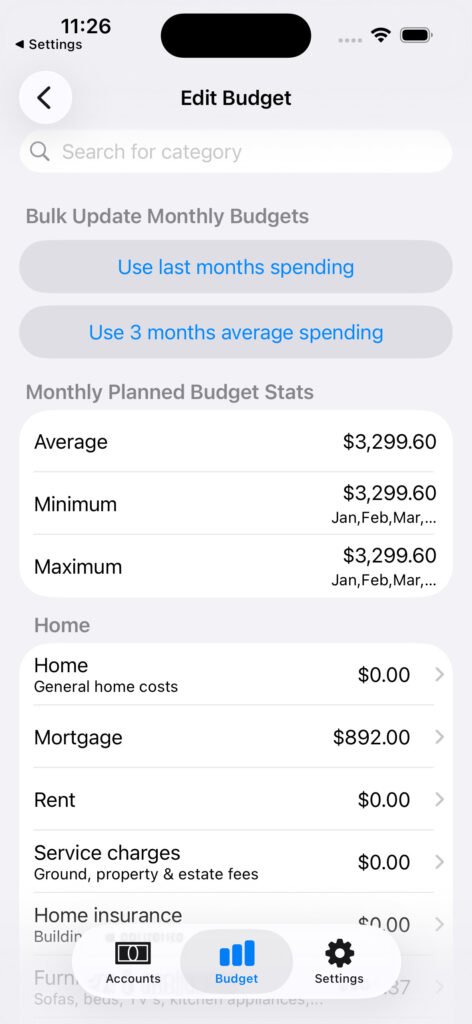
Plan Budgets That Actually Work

Create a budget plan or have Accounts create an initial budget automatically based upon the past months spending.

simulator screenshot iphone 15 pro ios26.1 2026 04 11 at 11.34.52

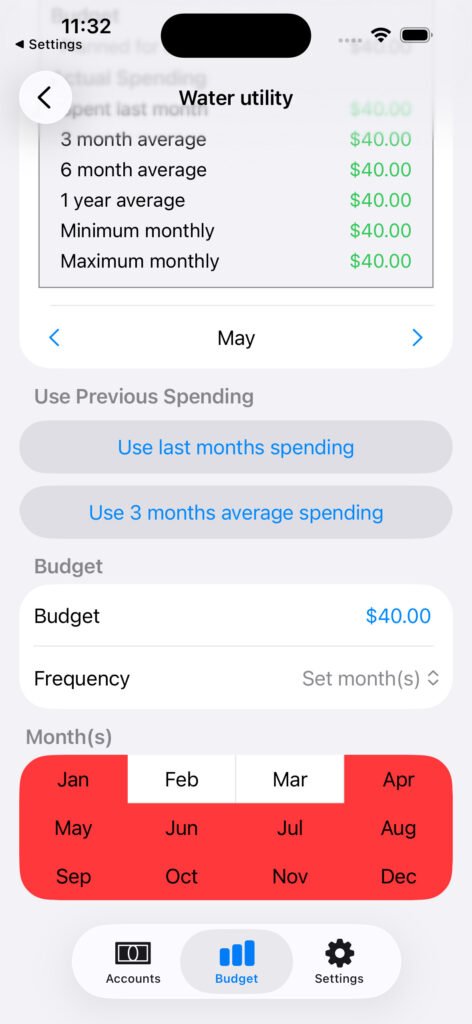
Budget Category Frequency

A budget category can be an amount for each and every month or define it be only included in certain months, e.g. house insurance might be once a year in January, council tax might only be for 10 months of the year.

simulator screenshot iphone 15 pro ios26.1 2026 04 11 at 11.44.13

Connect Your Accounts Securely

Connect to your bank accounts via open banking. Transactions are downloaded automatically on a periodic basis. No need to enter them manually.

simulator screenshot iphone 15 pro ios26.1 2026 04 11 at 11.38.37

Secure

We use Open Banking interfaces and follow required regulatory requirements to ensure your data is safe and secure.

  • You remain in control. Access is read-only, must be authorised by you and renewed every 90 days. You can withdraw access at any time. We never have access to your bank login credentials.
  • Secure Login. The app uses biometrics or a 5 digit PIN for authentication, in addition to Apple device authentication.
  • Sensitive data is encrypted at rest and in transit.
  • ICO registered. We are registered with the Information Commissioner’s Office (ICO), confirming our commitment to data protection and privacy.

Why Choose Accounts?

Accounts vision is to enable you to budget and avoid overspending. Other budgeting apps may have a broad range of non-budgeting related features but don’t do budgeting as well.

Other simple budgeting apps only support the manual entry of transactions rather than syncing via open banking. This is error prone and quickly becomes a burden. Accounts syncs and assigns categories automatically.

The focus of the Accounts app is on budgeting on a monthly basis. Unlike other apps, we won’t constantly spam you with additional products you don’t want, such as savings and investment accounts with mediocre interest rates or to upgrade your subscription for extra paid for features.

We have a simple to understand tiered subscription model. All tiers include the exact same features with the only difference between tiers being how many accounts you can connect and how frequently you can manually refresh data. You don’t need to pay more for extra features, e.g. the ability to create custom budget categories or use split transactions.

Subscriptions

Basic

Free trial, then £2.99 / month

Connect 2 accounts

Refresh data every 12 hours*

Standard

£3.99 / month

Connect 4 accounts

Refresh data every 4 hours*

Pro

£8.99 / month

Unlimited accounts

Refresh data as frequently as you want*

* Accounts will also refresh data up to 4 times a day automatically in the background.

image
What is Open Banking and is it Safe? (Complete 2026 Guide)
If you’ve ever downloaded a budgeting app on your iPhone and been asked to “connect your bank,” you’ve...
Read More
chatgpt image feb 5, 2026 at 03 37 10 pm
How to Budget Your Monthly Income (UK Guide for 2026)
Here’s how to budget your monthly income: Calculate your total monthly income Track your expenses Fixed Variable Annual Categorise...
Read More